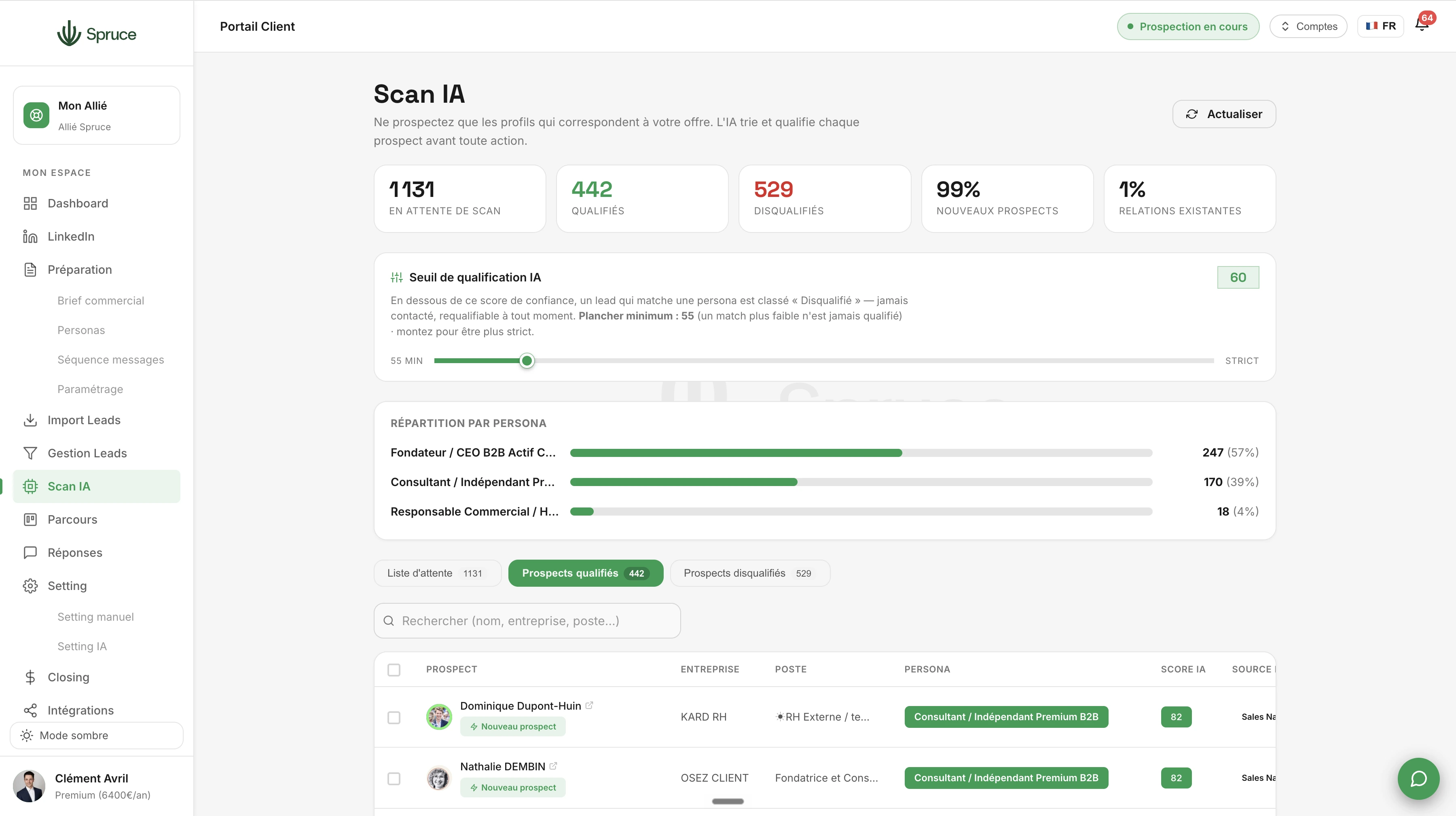
AI Scan
Spruce AI visits and analyzes every LinkedIn profile, assigns a confidence score and a qualification rationale. Only prospects who truly match your personas receive a connection request.
Once your lists are ready in Lead Management, you send your prospects to AI Scan. This is where Spruce analyzes every prospect in depth, before even sending a single connection request.
The AI visits and scrapes the entire LinkedIn profile: job title, company, description, recent activity... It then cross-references this information with everything you entered during Prospecting Setup, namely your sales brief and persona details, to precisely assess how relevant the prospect is.
Every profile gets a confidence score and a qualification rationale. If it matches one of your personas, it's automatically qualified into the right persona and moves on to AI Prospecting. If it doesn't meet any criteria, it's disqualified and will never receive a connection request or a message.
AI Scan also handles special cases: if the prospect is already among your LinkedIn connections, the AI identifies it and adapts the approach accordingly. Duplicates are automatically filtered out.
The result: you only prospect genuinely qualified profiles, which is why our customers see noticeably higher quality conversations. No energy is wasted on off-target profiles.
Like any AI, AI Scan can occasionally misjudge a profile, especially if the prospect's LinkedIn information is incomplete or too vague. The more precise your sales brief and personas are, the more reliable the qualification.
AI Scan analyzes as many prospects as the number of LinkedIn profile visits you allow Spruce per day. If your AI Scan queue holds 1,000 prospects, the tool will take around 10 days to scan the whole list, at a rate of 100 profile visits per day. The idea is to always keep AI Scan working with a larger pool of qualified prospects than the number of connection requests sent each day, so you make the most of your LinkedIn quotas and your prospecting overall. Make sure your AI Scan queue always stays sufficiently filled, so you never go weeks without sending new connection requests.
They receive no connection request and no message. They stay visible in the disqualified section of the AI Scan page, but are no longer prospected.
Yes, every scanned prospect comes with a confidence score and a rationale explaining the AI's decision.
Yes. The AI compares each profile against all of your defined personas, and qualifies the prospect into the most relevant one, which then lets messages be tailored accordingly in AI Prospecting.
Question template
Réponse template.
Rejoignez 150+ clients qui prospectent intelligemment avec Spruce.
Plan Essentiel offert pendant 14 jours résiliable à tout moment