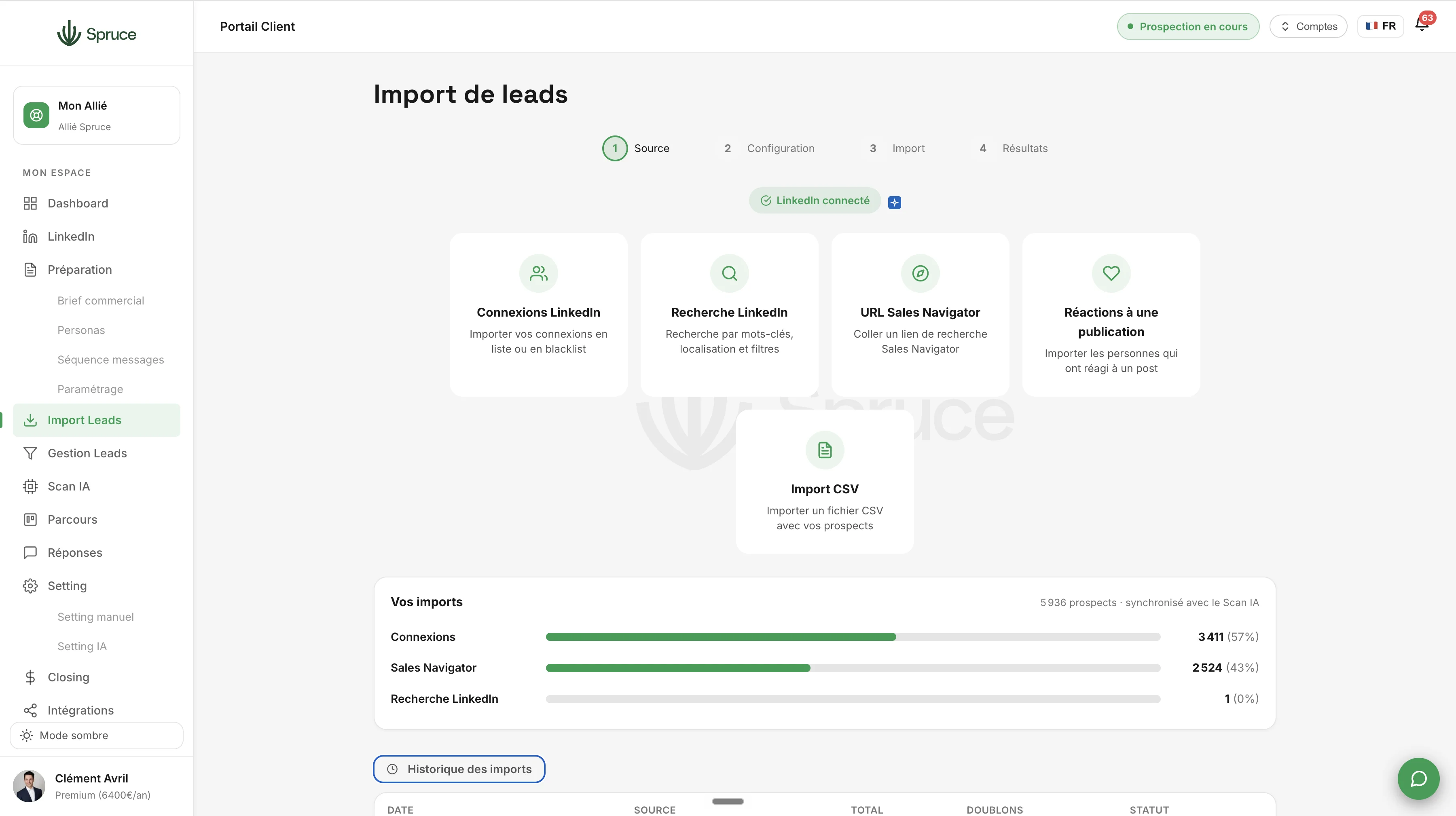
Imports Leads
Import your prospect lists from multiple sources in just a few clicks. CSV, LinkedIn, Sales Navigator, or reactions to a post, Spruce centralizes, cleans, and deduplicates your data automatically.
Simply put, before prospecting, you need to bring your prospect lists into the Spruce app. Several options are available to you.
The best one, and the one we recommend at Spruce, is Sales Navigator. With 30 million profiles in France alone, continuously updated as careers evolve, it's simply the most reliable source to reach the right people at the right companies. And don't forget: a single Sales Navigator plan can be used across several Spruce accounts on your team, which is a real advantage if you're prospecting together.
Of course, a Sales Navigator search can contain up to 60% irrelevant profiles. But at Spruce, that's not a problem: the AI qualifies them right after. What matters is having a broad, fresh pool. The sorting, we handle it.
You can also import your existing LinkedIn connections to re-engage prospects you already know. The AI detects that it's a connection and automatically adapts the first message based on your exchange history.
Other import options: a simple CSV file, a standard LinkedIn search, or a LinkedIn post to pull the list of people who reacted to it. It's all possible.
And if you're on a Managed or Premium plan, your Spruce Ally handles imports for you. They identify the most relevant prospects and bring them into the platform, usually through Sales Navigator.
Yes, with self-serve plans you manage your own imports. But Spruce helps you along the way: CSV import, Sales Navigator, or pulling reactions from a LinkedIn post. Everything is guided.
Yes. Your Spruce Ally takes care of everything: they use their own Sales Navigator account to identify the most relevant prospects and import them directly into your Spruce account. You don't have to do anything.
Of course. You can import a CSV file, use a standard LinkedIn search, or pull the list of people who reacted to a LinkedIn post. Sales Navigator is a recommendation, not a requirement.
Yes. With the multi-account feature, a single Sales Navigator subscription can be used across multiple Spruce accounts. It's more affordable and simpler.
Spruce automatically detects duplicates and existing connections. If a prospect is already connected with you, the AI adapts the first message based on your exchange history.
Question template
Réponse template.
Rejoignez 150+ clients qui prospectent intelligemment avec Spruce.
Plan Essentiel offert pendant 14 jours résiliable à tout moment