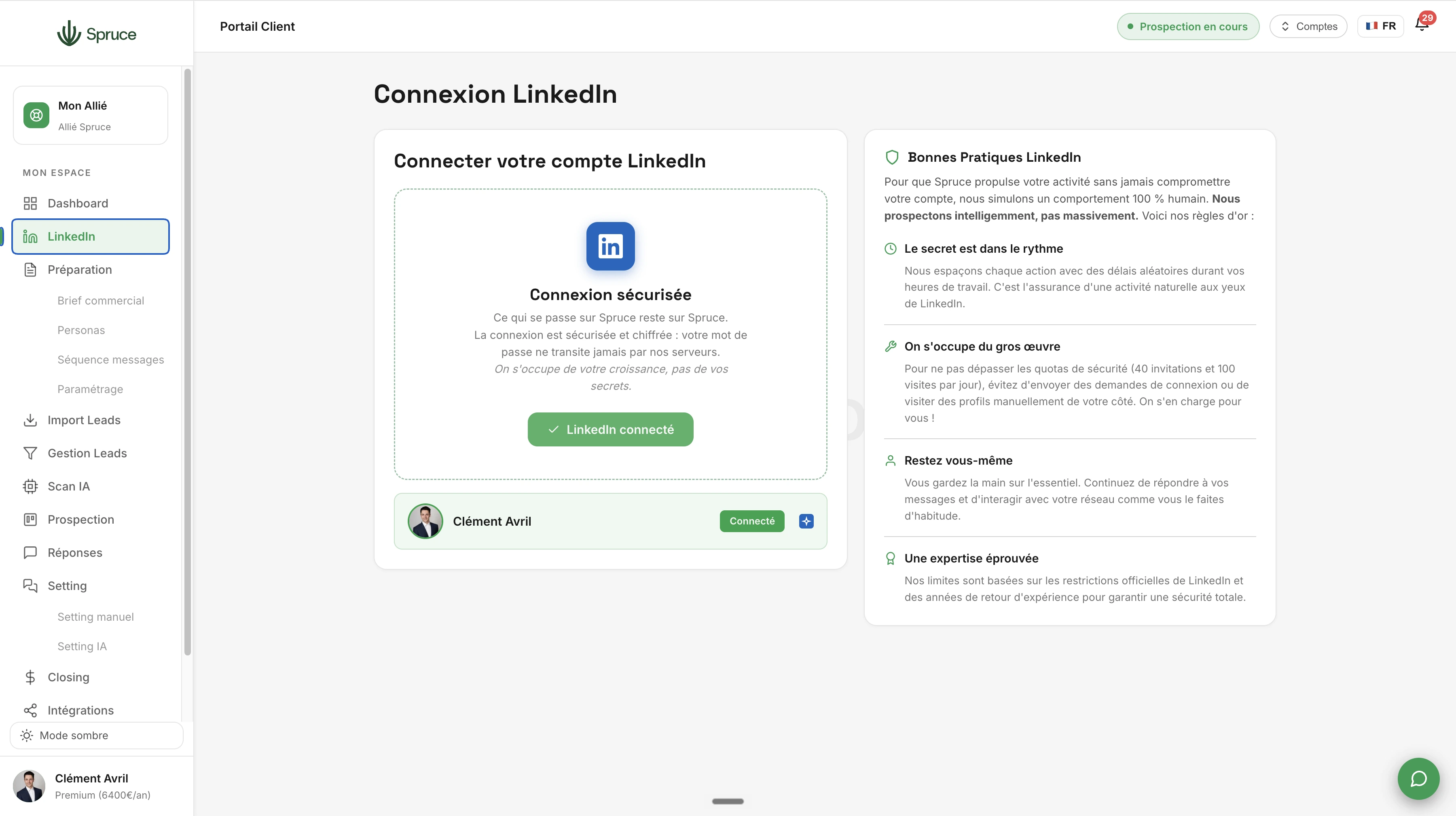
LinkedIn Connection
Connect your LinkedIn account to Spruce securely via a cloud connection. Gradual warm-up, respecting business hours and holidays: your account stays protected while Spruce prospects for you.
Before Spruce can start prospecting, it needs access to your LinkedIn account. This is the very first step, and it happens securely through an encrypted cloud connection.
Your password never passes through our servers and is never stored in plain text. Once connected, Spruce simulates 100% human behavior: every action (profile visit, connection request, message) is spaced out with random delays matched to your business hours. The goal is simple: never look like a bot to LinkedIn.
To protect your account over time, Spruce also applies a gradual warm-up during the first days of use, automatically respects local public holidays, and stays within LinkedIn's official quotas (40 invitations and 100 profile visits per day).
Once connected, you no longer need to open LinkedIn to manage your conversations: you can send and receive your messages directly from Spruce. And if you'd rather reply straight from LinkedIn, that's fine too: the conversation syncs automatically with the Spruce app, both ways.
No. The connection is encrypted and your password never passes through our servers. What happens on Spruce stays on Spruce.
Spruce respects LinkedIn's official quotas (40 invitations and 100 visits per day) and spaces out every action to simulate human behavior. Our limits are based on LinkedIn's official restrictions and years of hands-on experience.
Yes. Once your account is connected, you can send and receive all your LinkedIn messages directly from the Spruce interface, with no need to open LinkedIn.
No problem: the conversation syncs automatically with Spruce both ways, whether you reply from the app or directly on LinkedIn.
Each Spruce subscription corresponds to one Spruce account linked to a single LinkedIn account. If you work as a team, check out the Multi-account & Shared Sales Navigator feature: it lets you create several Spruce accounts, connect each team member's LinkedIn profile, and share a single Sales Navigator subscription across them. You can then switch from one account to another easily, since all your Spruce accounts stay linked together.
Question template
Réponse template.
Rejoignez 150+ clients qui prospectent intelligemment avec Spruce.
Plan Essentiel offert pendant 14 jours résiliable à tout moment