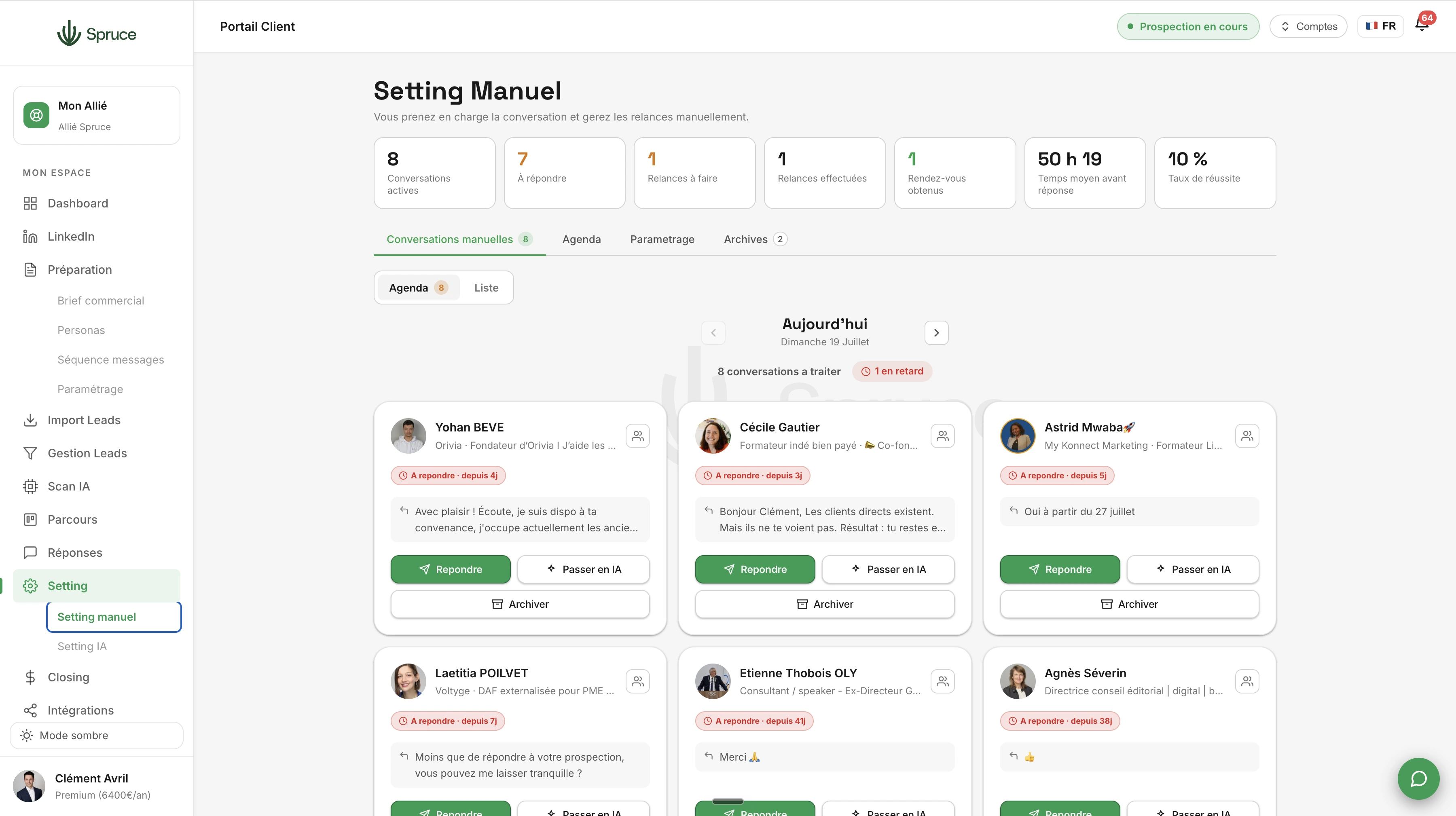
Manual Setting
A smart calendar that schedules your follow-ups at the right time so you never lose track of a lead. Available on every plan, and can be complemented by AI Setting on the Professional and Premium plans.
Once a reply is sent to Manual Setting from Replies, you stay in control of the conversation. This is the tool for those who prefer to drive their own conversations, without wasting time on organization.
Manual Setting works like a smart calendar: it tells you every day who to follow up with, how long you've been waiting for a reply, and how many follow-ups have already been sent. No more need for a separate spreadsheet to keep track of every prospect.
You can add personalized notes to each conversation, schedule your own reminders, and reply directly from Spruce. You keep full flexibility over the tone, timing, and content of every message.
As soon as a meeting is booked, you move the prospect into Closing to track the opportunity through to the sale.
Manual Setting is available on every plan. If you'd like to hand off part of this work to AI, AI Setting is available as a complement on the Professional and Premium plans.
Yes, Manual Setting is available across all Spruce plans, including the Essential plan.
Yes. You can choose, conversation by conversation, which ones you want to manage yourself in Manual Setting and which ones you'd rather hand off to AI Setting.
You set your desired follow-up delay, and Manual Setting notifies you automatically when it's time, with no need to monitor every conversation yourself.
The prospect stays visible in your Manual Setting queue with a delay indicator, until you follow up or archive it.
Question template
Réponse template.
Rejoignez 150+ clients qui prospectent intelligemment avec Spruce.
Plan Essentiel offert pendant 14 jours résiliable à tout moment