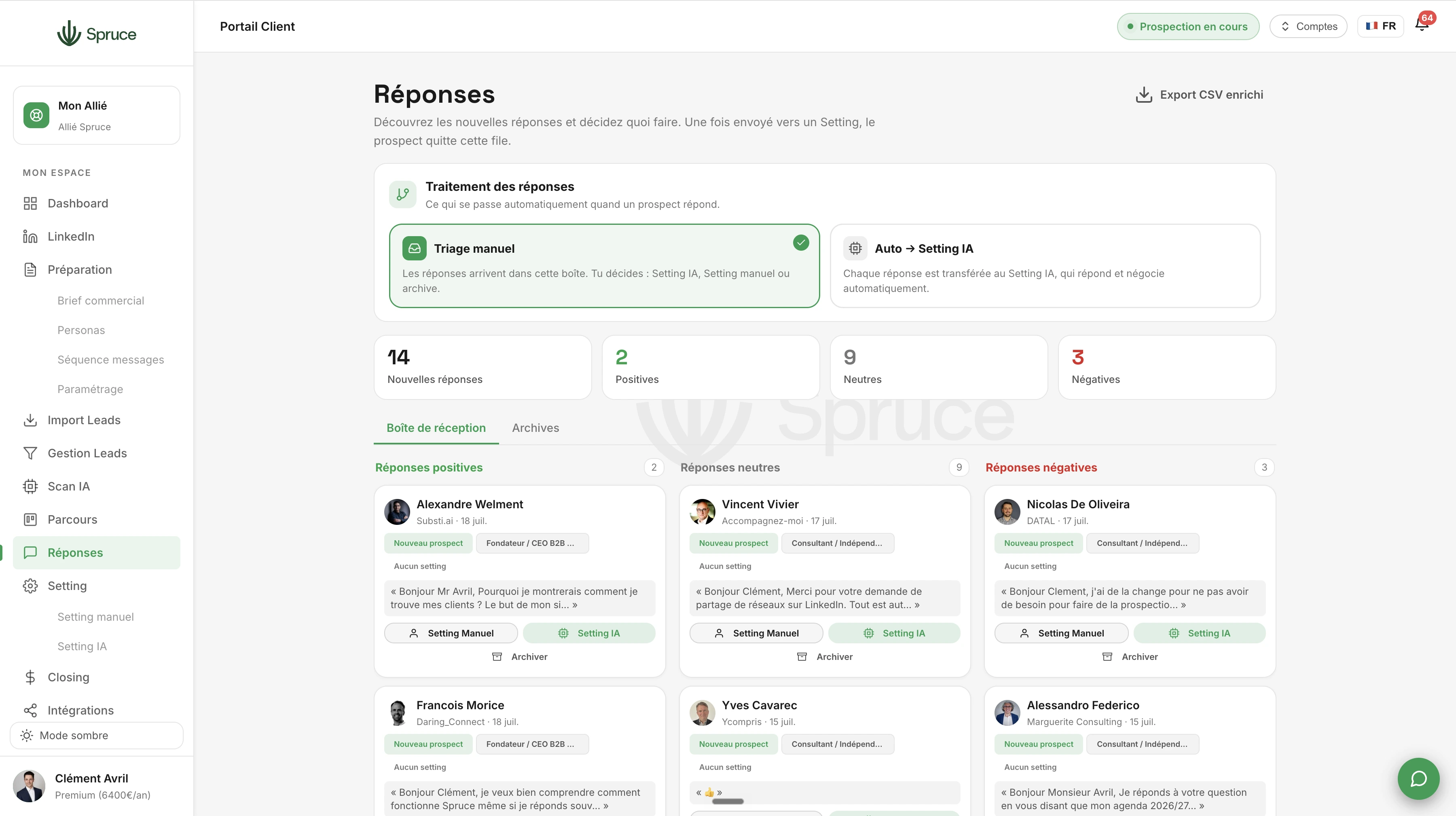
Replies
All your prospects' replies in one place, sorted as positive, neutral, or negative. Choose who to send to Setting (Manual or AI) and who to archive to revisit later.
As soon as a prospect replies, AI Prospecting stops and the conversation lands in Replies: your unified inbox for every reply received on LinkedIn.
Each reply is automatically sorted: positive, neutral, or negative, so you can quickly prioritize where to focus your attention.
You then decide what happens next for each conversation: send it to Manual Setting if you'd rather stay in control, to AI Setting if you want Spruce to continue automatically, or archive it to revisit later.
AI-generated reply suggestions are available to help you respond quickly, while keeping final control over what you send. The full history of each conversation stays accessible, so you never lose the thread.
The result: no reply ever gets lost in your regular LinkedIn inbox. Every prospect who replies is handled, prioritized, and routed to the right next step.
The AI analyzes the message content to assess the prospect's interest and automatically assigns a category, which you can adjust manually if needed.
No. You can send positive replies to AI Setting so the AI continues the conversation automatically, and stay in control only of the ones that need your attention.
Archived conversations stay accessible and can be reactivated at any time to revisit them.
No, unless you're using AI Setting. In Manual Setting, suggestions are offered but you approve and send each message yourself.
Question template
Réponse template.
Rejoignez 150+ clients qui prospectent intelligemment avec Spruce.
Plan Essentiel offert pendant 14 jours résiliable à tout moment