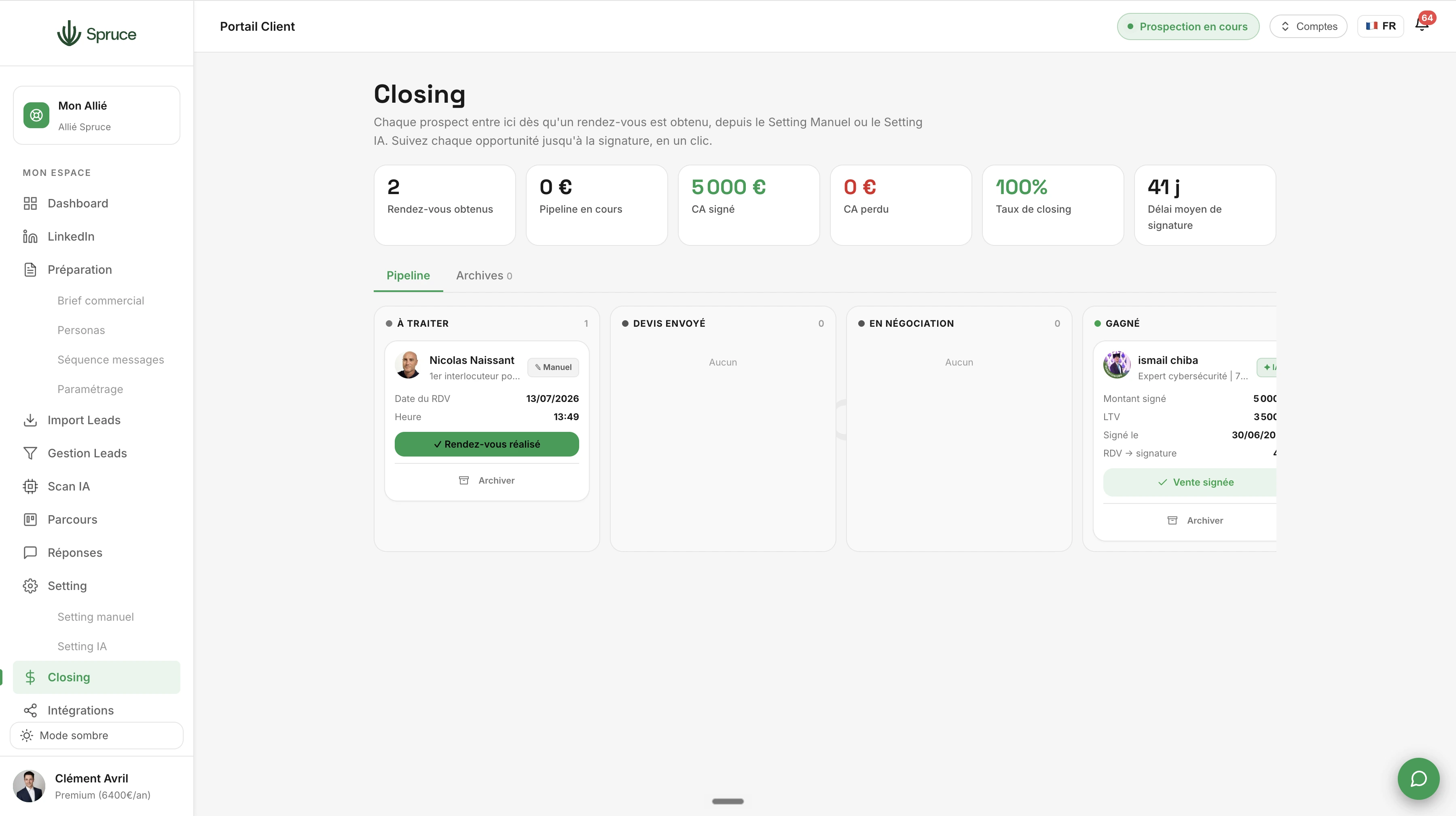
Closing
Basculez un prospect du setting vers le closing dès le premier rendez-vous. Pipeline intégré, relances post-devis, analyse des victoires et des pertes. Toutes les données remontent dans le dashboard.
Dès qu'un rendez-vous est décroché, que ce soit via Setting Manuel ou Setting IA, le prospect bascule automatiquement dans Closing. C'est ici que la conversation devient une véritable opportunité commerciale.
Closing vous offre un pipeline de vente dédié : vous suivez chaque opportunité depuis le premier rendez-vous jusqu'à la signature, avec une vue claire de l'état d'avancement de chaque dossier.
Vous pouvez gérer les relances post-devis, joindre des documents et gérer les signatures directement depuis l'outil, sans avoir à jongler entre plusieurs logiciels.
Chaque opportunité gagnée ou perdue est analysée, pour vous aider à comprendre ce qui fonctionne dans votre approche commerciale et ce qui doit être ajusté.
Toutes ces données remontent automatiquement dans votre Dashboard, pour un suivi complet de votre performance commerciale, de la prospection jusqu'à la vente.
Dès qu'un rendez-vous est confirmé via Setting Manuel ou Setting IA, le prospect est automatiquement transféré dans Closing.
Oui, chaque opportunité est traitée indépendamment dans le pipeline, même si elle concerne le même prospect ou la même entreprise.
Pas forcément. Closing peut fonctionner seul, ou en complément de votre CRM via l'Intégration CRM, pour synchroniser automatiquement vos données.
Elles se basent sur les opportunités en cours dans votre pipeline, pondérées selon leur étape d'avancement.
Question template
Réponse template.
Rejoignez 150+ clients qui prospectent intelligemment avec Spruce.
Plan Essentiel offert pendant 14 jours résiliable à tout moment