Prospecting Configuration

Effective prospecting also needs to stay credible in your prospects' eyes. Set your days and send times, avoid public holidays, exclude your existing connections, and choose the tone and contact language for prospecting that's true to your image, never robotic.
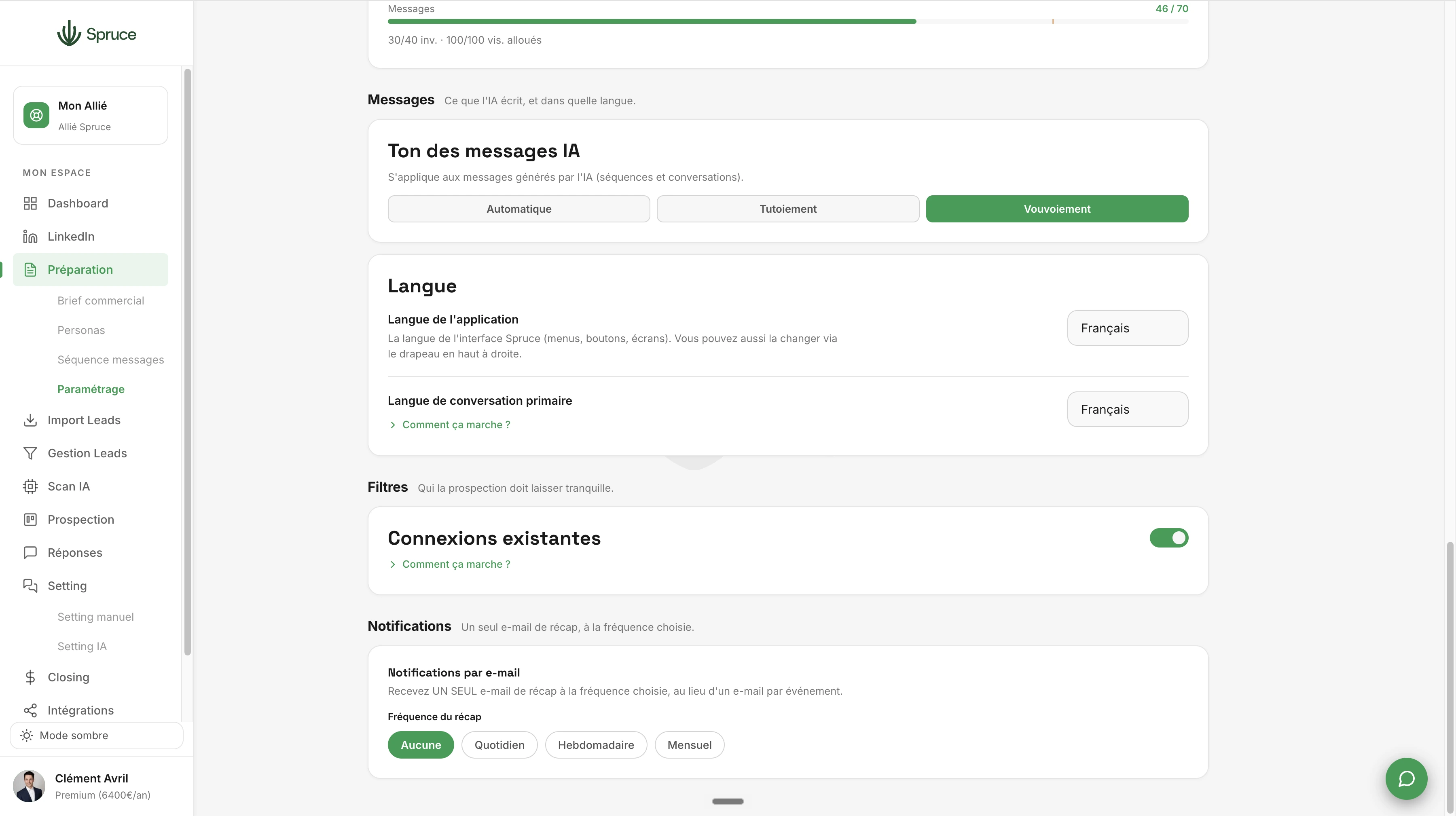
Spruce prospecting configuration with sending days, time slots, holiday exclusions and contact language
Essai gratuit 14 joursRéserver une démo
  • Choose prospecting days and hours, with a lunch break
  • Time zone selection
  • Avoid local public holidays
  • Exclude your existing connections (or not)
  • Adjustable daily quotas (visits / connections / messages)
  • Split quotas between first messages and follow-ups
  • Automatic English messages for international prospects
  • Email notification settings
  • Formal / informal tone / Auto

Good prospecting isn't just about the message: it also needs to respect the pace and expectations of the person on the other end. That's the role of Prospecting Configuration.

You start by choosing your prospecting days and hours, with an automatic lunch break if you want one, along with the time zone to respect so your actions stay consistent with where your prospects are based. Spruce won't send any message or connection request outside those windows, and local public holidays are excluded automatically.

You then set adjustable daily quotas for profile visits, connection requests, and messages, and you can split those quotas between first messages and follow-ups, to balance your prospecting according to your current priorities.

You can choose to exclude your existing connections from prospecting, so you never accidentally recontact someone you already know. If you uncheck that option, whenever Spruce detects a prospect already in your network, the message is generated using the full conversation history, to stay consistent.

On tone, you choose formal or informal address, or let Spruce adapt it automatically based on the prospect's profile. If a prospect is international, the AI automatically switches messages to English. Finally, you can enable email notifications to be alerted as soon as something important happens in your prospecting.

Together, these settings ensure prospecting that's true to you: professional, respectful of your prospects' rhythm, and never robotic.
Questions fréquentes

Can I set different hours for different days of the week?

Yes, you can adjust your send windows day by day, to match your actual activity.

How does Spruce know which public holidays to exclude?

Spruce relies on the official local holiday calendar, updated automatically every year, to avoid disturbing your prospects on those days.

If I exclude my existing connections, can I still contact them later?

Yes. This exclusion only applies temporarily: if you uncheck the option later to reach out to people in your network, they can receive tailored messages as soon as they match one of your defined personas.

Is the contact language detected automatically or do I choose it?

You set a default prospecting language, but the AI detects whether a profile is international and automatically switches the contact language to English, so your prospecting stays relevant.

Question template

Réponse template.

Prêt à structurer votre prospection ?

Rejoignez 150+ clients qui prospectent intelligemment avec Spruce.

Plan Essentiel offert pendant 14 jours résiliable à tout moment